From one conference to a self-service platform used at 100+ events
A month before an internal IT conference, I proposed a mobile app to replace information scattered across email, printed schedules and messaging apps.
I designed the first version with two engineers, and we shipped it in time for the event. What began as a one-off conference tool grew into a mobile and web platform used across 100+ events. Across events, ~80% of attendees signed in. 92% of surveyed participants reported an improved conference experience.
One month to the first event
A month before an internal IT conference, my department head asked what we could automate. Event information lived in email, printed schedules and messaging apps, and attendees had no single place to check where to be.
I proposed a conference app and built a no-code prototype in Bravo Studio over a weekend, so the department could try the idea on a phone before anyone committed engineers to it. With one backend engineer and one mobile engineer, we then shipped a Flutter app in time for the conference. Flutter was a deliberate compromise: we needed one product for iOS and Android, and we had a month.
Around 150 people used the first release during the event. It covered the programme, participants, materials, locations, notes and polls, and the company funded further development after it.
The first conference tested the product while it was running
While the conference ran, its programme kept changing, and sometimes several of these things happened at once:
- Room
- Changed
- Session
- Moved
- Materials
- Arrived late
- Speaker
- Changed
We had shipped the participant experience, but there was no organiser interface yet. Each change reached our team, and we typed it into the database from a terminal while the event ran.
For the product to outlive this conference, organisers had to be able to run an event without us. What follows is the platform that grew from that.
Design for an event that changes by the minute
People use a conference app on the move: they walk between rooms, arrive from other cities or countries, look for what happens next and react to changes while the event runs.
That context shaped the mobile information hierarchy: current sessions, upcoming activities, locations and operational changes took priority.
The journey below branches at the four moments an event can fail one person: no signal on the way, a changed schedule, a push that does not arrive, no connection in the hall. Each branch has a designed way back to the session, not a dead end.
The flow as text
- The invitation arrives with the app link; the participant signs in with corporate access and lands on the event.
- Travelling or expecting a weak signal, they download the event for offline use. Either way, Today opens on what is running now.
- At the venue they find the hall from directions in words and open the session.
- If a room or time changes, an operational notice arrives: a push that opens the updated session, or an SMS if the push is not delivered.
- In the live session, online, they vote, ask and react; offline, the saved content stays and live actions are shown as unavailable.
- After the event, the materials of the sessions they attended arrive, and the past event stays available for people and files.
Start with what matters now
Once people belonged to several events at once, six tiles for one conference no longer told anyone where to be. I rebuilt the home around the current event and the session running now, with the next session, the place and any live interaction one step away.
The programme opens at the current moment, and a personalised view narrows it by role, department, organiser tags and favourites. Past events stay reachable for people and materials, set apart from current and upcoming ones.
Keeping the event usable without a connection
Beyond the first conference, attendees travelled from different regions and countries and used the app to find their way around venues they did not know. They could not count on a connection on the way, or inside some buildings.
I made offline an explicit state. Participants download the event in advance and refresh it whenever they are connected; the app says what is saved and when it was updated; live interactions stay visible but switched off, with the reason, so nobody taps a vote that cannot arrive. In surveys after events, around 20% of attendees said they had used offline mode.
Coordinating a live session across devices
During a session, the speaker, the audience, the moderator and the hall need different things at the same moment. Participants, speakers and moderators used the same app, and I gave speakers and moderators their own modules inside it. The hall got its own display.
- SpeakerPhone, speaker module
- Runs the talk: timer, slides, polls, the questions waiting.
- ParticipantPhone
- Follows the session: votes, asks, gets the materials.
- ModeratorPhone, moderator module
- Keeps the questions in order and passes them to the speaker.
- Room displayPresentation screen
- Shows the slides and the result the whole hall can read.
Take a vote. The speaker asks the question out loud and starts the vote from their phone, the audience answers on theirs, and the result appears where the whole hall can see it. A question takes the other route, through the moderator.
1. The speaker runs the talk from one dark screen: time left, the slide on the hall screen and the next one, the room’s questions, and the vote — started from Ask the room, closed from here.Full size 2. The audience votes on their phones and sees the result.Full size
The full flow shows why the moderator sits in the middle: a poll goes straight from the speaker to every phone and back to the hall screen, while a question reaches the speaker only after the moderator has put it in order. The presentation keeps running on both routes.
The flow as text
- The speaker enters live mode: the presentation is running and the timer visible.
- A poll: the speaker starts it, participants receive it and vote, the room display shows the live result, the speaker closes the poll, and the room returns to the presentation.
- A question: a participant writes one in the session, the moderator sees it in the queue and passes it to the speaker, who answers it in the session; the room stays on the presentation.
- Either way, the presentation continues.
Getting the slides before the talk
Speakers often promised to send their slides after an event and then forgot. An upload slot on the session page did not change that: once the talk was over, uploading helped the audience and cost the speaker a task.
Presentation control came later, when speakers began running their slides through the product. To present from the system, a speaker uploaded the deck before the session. Because the platform knew which sessions each attendee had joined, the same deck went back to those people afterwards. Presentation control later gained live slide translation.
An upload slot
- 01The speaker promises the slides
- 02The event ends
- 03The upload is forgotten
Presentation control
- 01The speaker uploads the deck to present
- 02Presents from the system
- 03Attendees of that session get the file
1. The day before: the deck goes in, because that is how you present. On stage it runs from the remote shown above.Full size 2. That evening: the same deck reaches the people who attended.Full size
Making the upload part of presentation preparation gave speakers a practical reason to provide materials before the session.
Real behaviour was messier than the flow
I attended ten events to watch the product in use. After the first conference, I ran a study with a 45-person participant group, combining a questionnaire with follow-up interviews. Later, a company survey on events and the app collected around 2,000 responses.
I learned most from watching people ignore the behaviour we had designed for them.
We designed favourites. People used Share.
I watched participants tap Share and paste session links into notes and messaging apps instead of starring them. Our flow had not predicted it, and it made sense: people already kept their own systems for what they meant to come back to.
We stopped treating favourites as the only way to plan a day, and I brought the observation into our later work on agenda planning.
The room already had a better interface
Early releases put a Raise Hand button beside the session’s reactions, so a participant could ask for the floor from their phone. Hardly anyone used it. In the hall, raising a hand was faster, and the speaker and everyone else could see it.
In the app
In the room
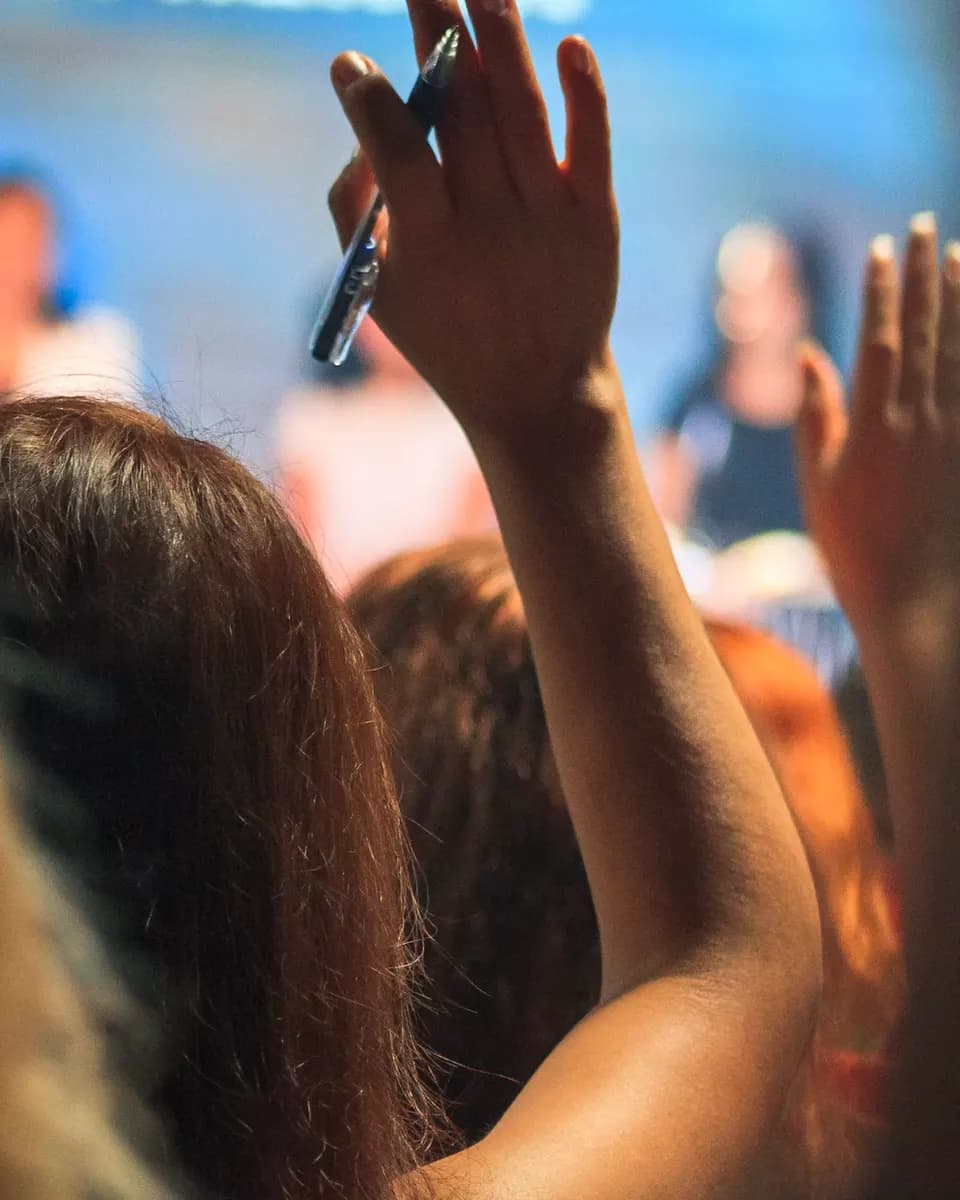
We removed it, and kept the interactions where the phone added something the hall could not do as easily: text questions, polls and reactions.
Less friction met a security constraint
To help people who had ignored the setup email, we printed login QR codes on conference badges. It removed the friction of signing in, and it lasted one conference.
Security review changed the constraint. We replaced badge login with corporate access and added organiser tools for helping attendees sign in.
From terminal updates to self-service
At the first conference every change went through our terminal. To let the platform grow past one event, I designed the organiser side so approved employees could create and run events without us configuring each one.
Most events had a single organiser, so the console had to carry one person through the whole workflow: setup, programme, speakers, participants, locations, materials and communication. I laid the programme out as a schedule, rooms across and time down, so the organiser handles a live change where they already look: select the session, edit it beside the grid, tell the people it affects.
A notification only matters if it arrives
A room change or a new coach time is useless if the participant sees it after the fact. We could not guarantee push delivery, so I gave operational changes, such as rooms and transport, a second route: when the push is not delivered, an SMS follows.
- 01A room or transport change is published
- 02Push notification
- 03SMS, if the push is not delivered
The flow as text
- The organiser opens the programme and selects the session, which opens in the inspector.
- What changed? The room (another existing venue), the time, or the speaker: edit and save, and the updated session is published.
- The organiser prepares an operational notice and sends it as a push. If the push is delivered the participant receives it; if not, an SMS is the fallback.
- Either way the participant opens the updated session and sees the new room, time or speaker.
- Materials: add or replace the file and save, and the updated materials become available to participants.
The standard for internal events
The company made the platform the standard for internal events. Because organisers set up and ran events themselves, that expansion did not need our team to configure each one.
The platform supported more than 100 conferences, corporate schools and professional competitions, and around 80% of attendees signed in. Participants used it before, during and after each event, for the schedule, live interaction, finding their way and the materials.
Staying hands-on as the team grew
I was the sole designer at launch. As the team grew from three to seven people, I kept designing the core information architecture, flows, interaction and interfaces, ran the design system and reviewed the implementation.
When a junior designer joined, I mentored them while continuing to design the key product flows.
What I would improve in a similar project
Instrument behaviour from the first release
Observation showed what people did at the ten events I attended; it could not say how often the same thing happened across a hundred. Event tracking on agenda planning and live interaction from the start would have shown how common a finding like the Share habit was across all events.
Formalise event structure and permissions earlier
The first product was designed for one conference. Once conferences, corporate schools and competitions ran side by side with different organisers, we had to retrofit shared structures, roles and permissions into screens that assumed one event.
Integrate the employee directory earlier
Only 2 of 45 participants in the study uploaded an avatar, so organisers fetched speaker photos from internal systems by hand. Directory integration would have removed that work; it had not shipped when I left.
Tools & collaboration
- Figma
- ProtoPie
- After Effects
- Lottie
- Storybook
- Confluence
- Bravo Studio
Open to Senior Product Designer roles
Based in Porto, Portugal, with authorisation to work here. Get in touch about a Senior Product Designer role or to discuss my work in more detail.